


Flashforge Creator 5 Pro Fila Bundle
The Flashforge Creator 5 Pro Fila Bundle is exactly what it sounds like—the Creator 5 Pro with a bundle of filament. With this bundle, you’ll receive the Flashforge Creator 5 Pro...
Frequently Bought Together
The Flashforge Creator 5 Pro Fila Bundle is exactly what it sounds like—the Creator 5 Pro with a bundle of filament. With this bundle, you’ll receive the Flashforge Creator 5 Pro plus 5 additional spools of filament, so you can start printing right away without missing a beat.
Bundle Includes
-
 1x Flashforge Creator 5 Pro 3D Printer
-
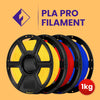 3x Filament 1.75mm PLA PRO - Flashforge (1kg)*
 -
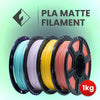 1x Filament 1.75mm PLA Matte - Flashforge (1kg)*
 -
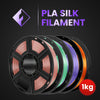 1x Filament 1.75mm PLA Silk - Flashforge (1kg)*
*Various Colours
Flashforge Printer Comparisons can be found here.
- Extruder Quantity: 4x Independent Extruders
- Nozzle Diamter: 0.4mm (installed) | 0.6mm | 0.8mm | 0.25mm (purchased separately)
- Max Extruder Temp: 320°C
- Max Platform Temp: 120°C
- Active Chamber Heating: 65°C
- Max Travel Speed: 600mm/s
- Acceleration Speed: 30,000mm/s²
- Compatible Filament: PLA | PETG | TPU | PLA-CF | PETG-CF | PET-CF | ABS | ASA | PA-CF | PAHT-CF | ABS-CF | PC | PA | PC/ABS | PPS-CF
- Build Volume: 256 x 256 x 256 mm
- Layer Thickness: 0.05-0.4 mm
- Print Precision: ±0.2 mm
Mechanical & Dimensions
- Printer Dimensions: 520 x 443 x 710 (Including spool holders & guide tubes)
- Screen: 4 inch touch screen
- Power Supply: AC100-120V/200~240V, 50/60Hz
- Max Power: 1200W
- Weight: 14kg
Others
- Connectivity: USB | Wi-Fi
- Software: OrcaSlicer | Flash Studio
- Input File Types: 3MF | STL | OBJ | FPP | BMP | PNG | JPG | JPEG File
- Output File Types: 3mf | Gcode
- Camera: Yes
- Timelapse Video: Yes
- Replaceable Print Bed: Yes
- Build Plate Type: Textured PEI
- Operating Temperature: 10-30°C
- Auto Leveling: Yes
- Air Filtration: Yes, HEPA 13 & Activated Carbon
- Auto Shutdown: Yes
- Auto Multi-Extruder Offset Calibration: Yes
- Vibration Compensation: Yes
- Dynamic Flow Calibration: Yes
- Filament Runout Sensor: Yes
- Power Loss Recovery: Yes
- Nozzle Clog Detection: Yes
- Filament Tangle Detection: Yes
- Spaghetti Detection: Expandable
- Quick Swap Nozzle: Yes
- Extruder Pickup Error Detection: Yes
- Door Sensor: Yes
Does the Creator 5 pro support automatic filament loading into the extruder?
The Creator 5 uses a direct-drive extrusion system and does not have an automatic loading mechanism. Filament needs to be fed manually through the filament inlet (shown below) and guided through the tube into the extruder.
How do you unload filament on the Creator 5 pro?
The extruder assembly includes a cutter. Press the lever on the extruder head to cut the filament, then manually pull the filament out from the insertion end.
Is leveling required after replacing the nozzle?
Yes. We recommend running auto leveling after any nozzle change to compensate for tiny installation variances and ensure optimal print quality.
What do I do if the screen shows only folders and no print files after inserting the USB flash drive?
The USB flash drive is not formatted correctly. The device supports the FAT32 file system. Please reformat your USB flash drive to FAT32.
How do you remove the nozzle assembly?
Remove the two silver screws on the extruder head then pinch the silicone sock and pull the nozzle assembly out.
When should multi-extruder offset calibration be run and how long does it take?
Perform multi-extruder offset calibration in the following situations:
- First time printer setup
- After replacing a hotend
- If the nozzle collides with the bed or a model
- If during multi-color/multi-filament printing the colours aren't aligned
The calibration process takes approximately 15-20 minutes.
How much clearance space is required around the Creator 5 pro?
At least 10mm on the left and rear, 200mm on the right, and 500mm at the front.
Does Creator 5 pro support multi-color printing without a prime tower?
Disabling the prime tower is not recommended. While the Creator 5 pro eliminates "purging" during filament switches, minor filament oozing may still occur. The prime tower cleans the nozzle before each filament switch and at the start of printing, ensuring the nozzle remains clean.
Does the Creator 5 pro still support the FlashCloud or Polar Cloud?
FlashCloud has been discontinued. It now adopts a new cloud service with app-based account binding. Polar Cloud is no longer supported due to its slow speed and low user base.